This tutorial will show you how to use your Coinbase wallet to get $BUM. There are 2 easy steps:
- Use your Coinbase Wallet app to purchase Ethereum on BASE.
- Swap your Ethereum on BASE for WillyBumBum ($BUM)
Before you start
To follow this tutorial you should have already done these easy steps:
Part 1 — Purchase Ethereum on BASE
Important Note ! — You need to purchase Ethereum on the BASE network (AKA “Ethereum on BASE”), instead of normal Ethereum. Follow the steps below to get Ethereum on BASE.
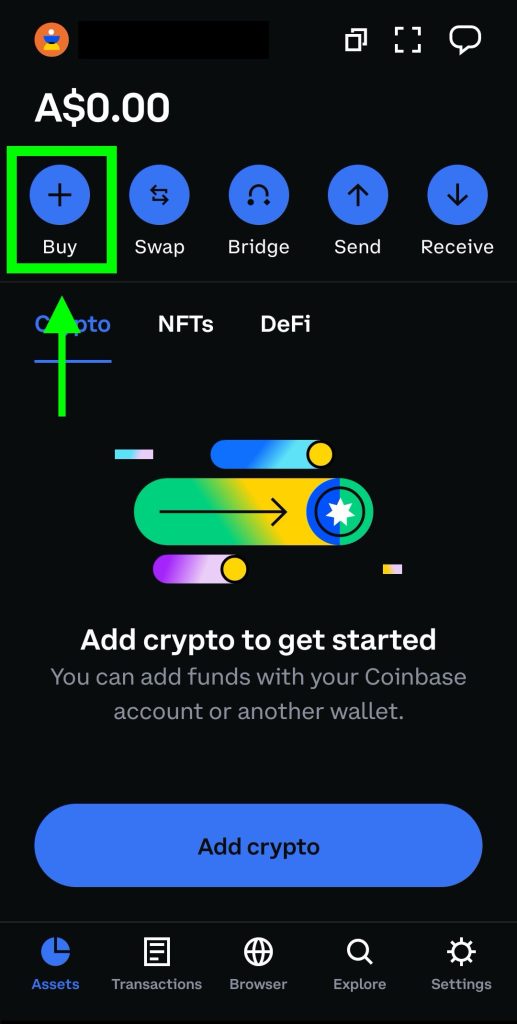
Step 1 — In the “Asset” page of your Coinbase wallet, click buy.
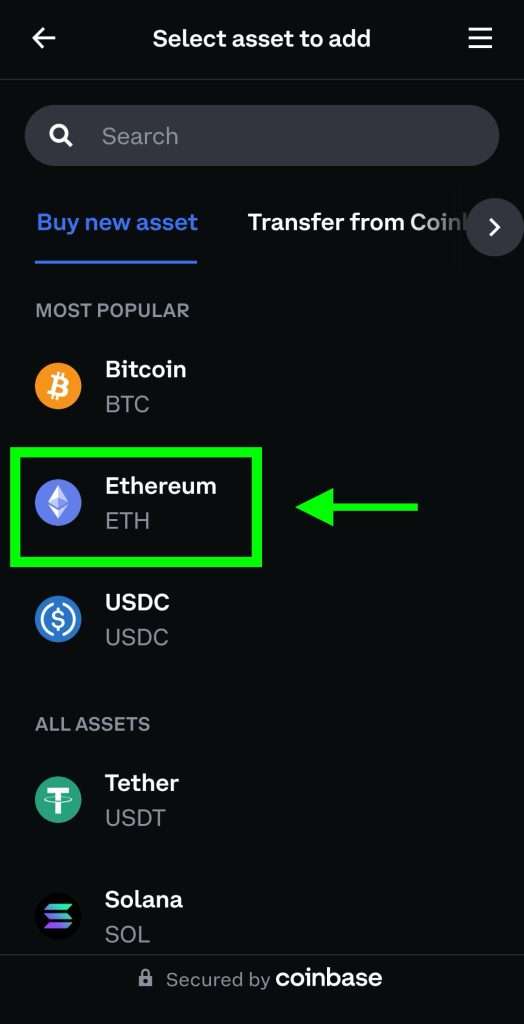
Step 2 — Choose Ethereum
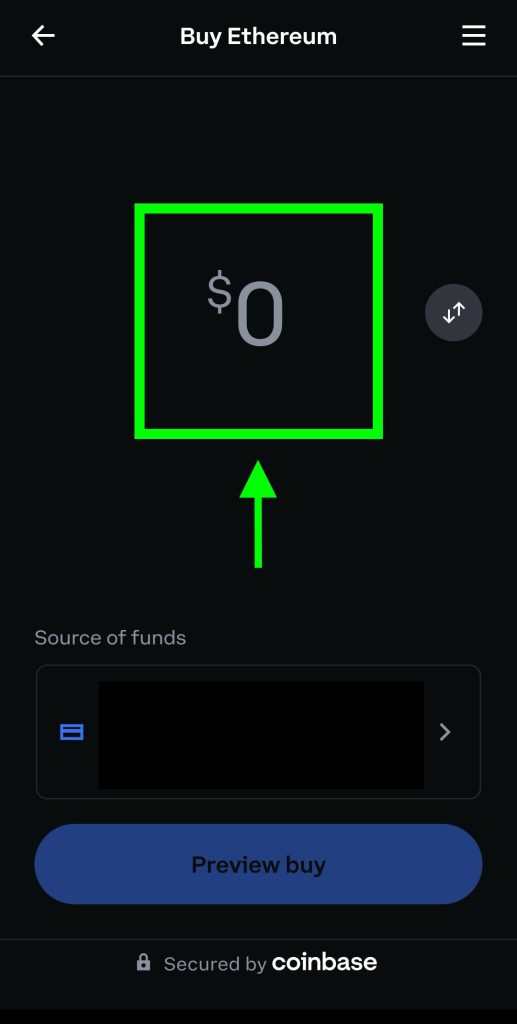
Step 3 — Enter a payment amount then click “Preview buy”
Step 4 — Make sure the network is set to “BASE”
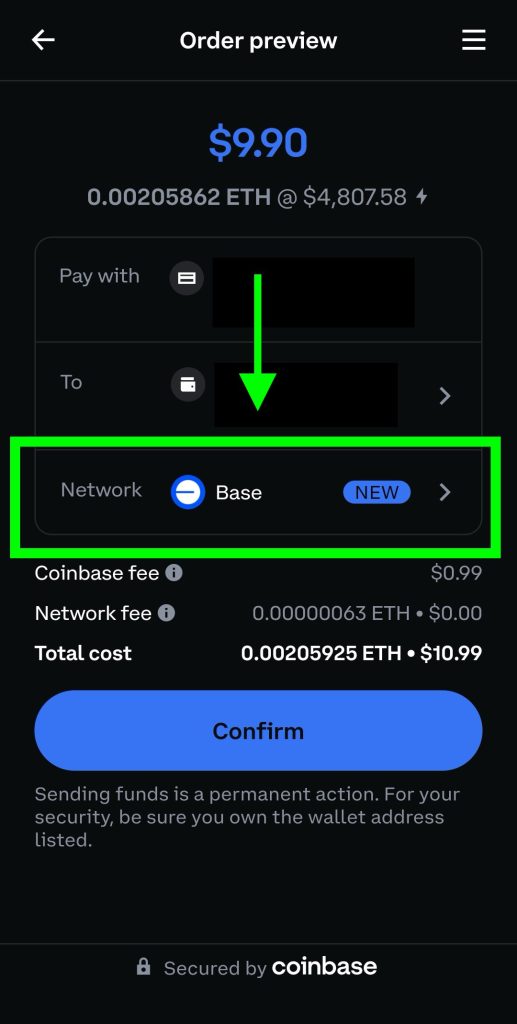
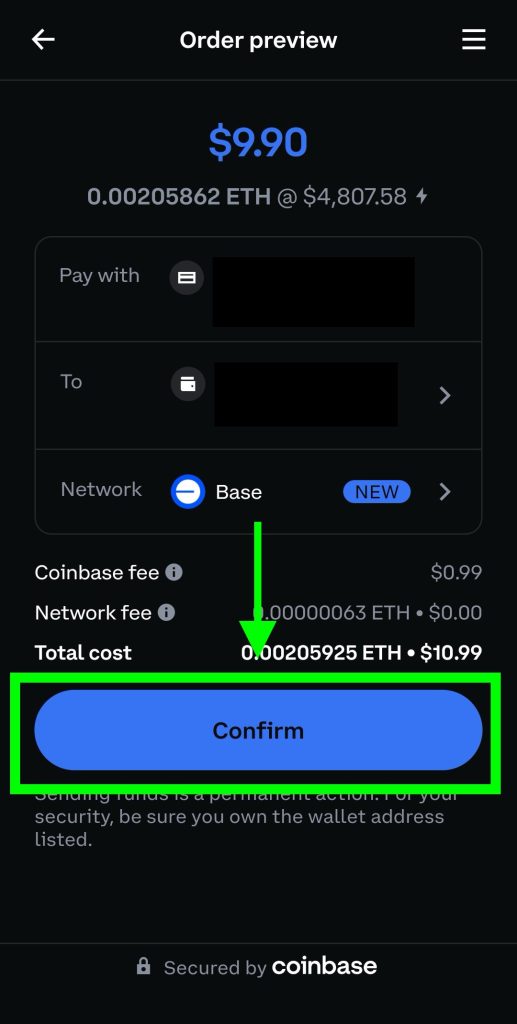
Step 5 — Click Confirm. Once this is cleared, you now have Ethereum on BASE
Part 2 — Swap Ethereum on BASE for $BUM
In this step, we will swap Ethereum on BASE for $BUM
Step 1 — Go to the Wallets page and click on Ethereum on BASE

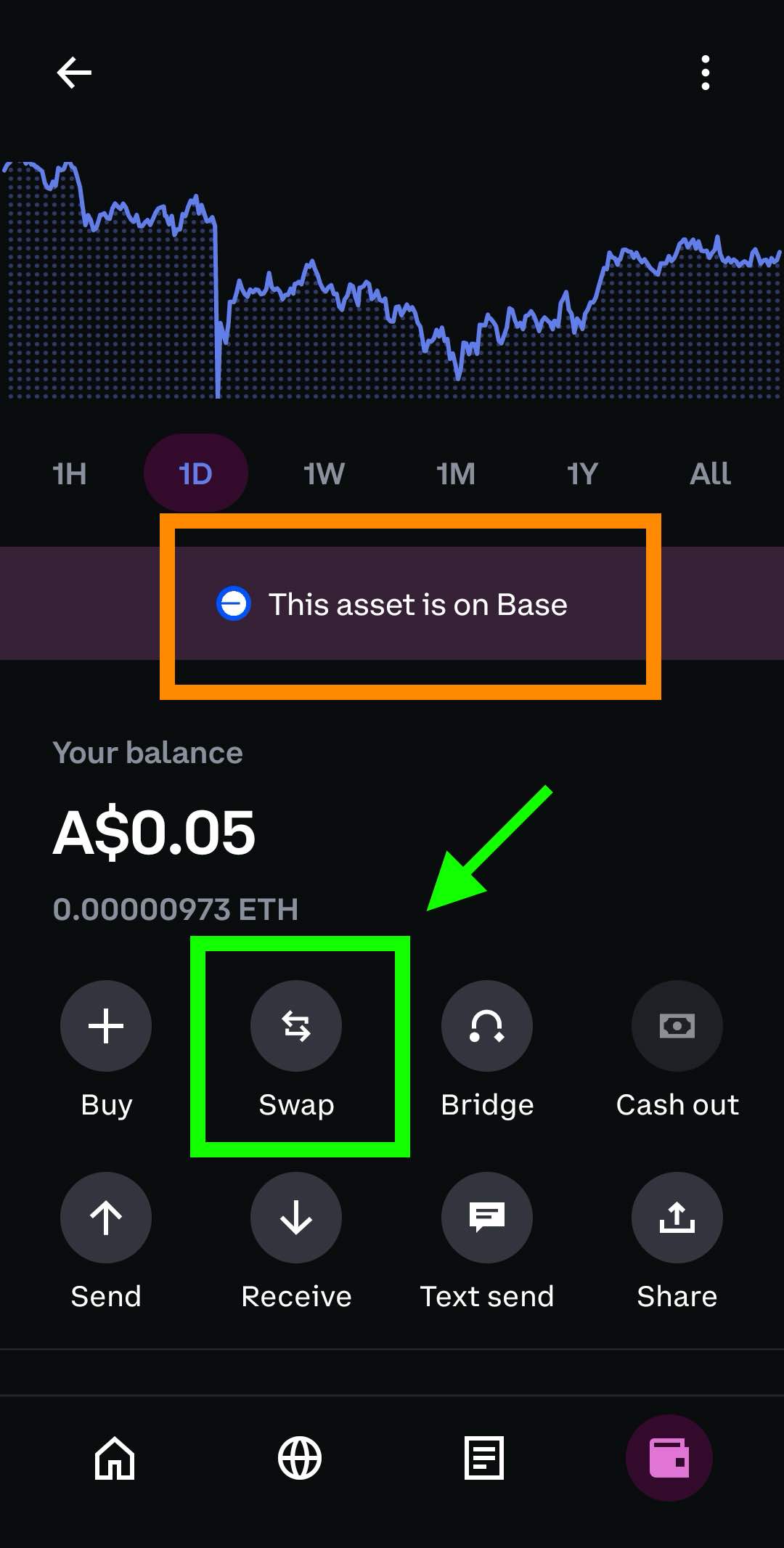
Step 2 — You will notice Ethereum on BASE says “This asset is on Base”. Next, click “Swap”
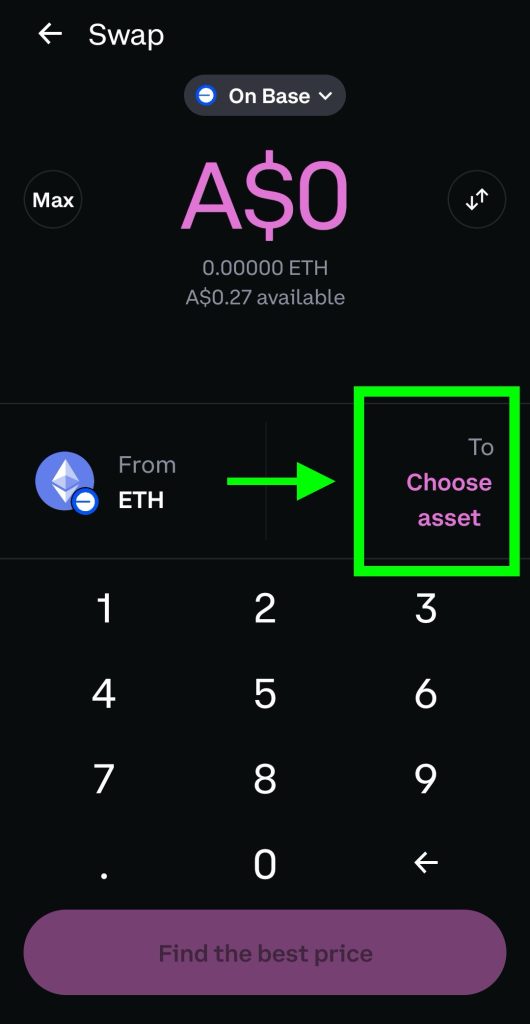
Step 3 — Click “Choose asset”
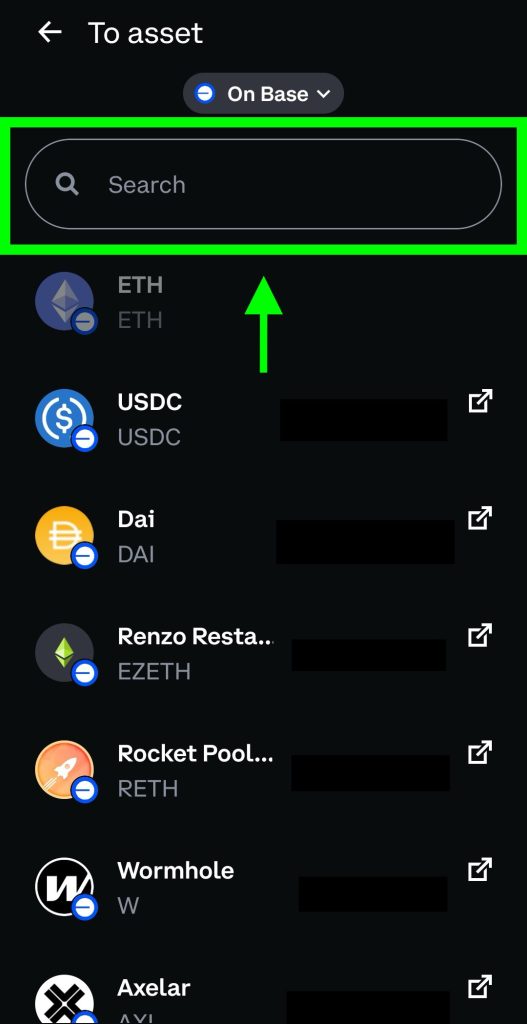
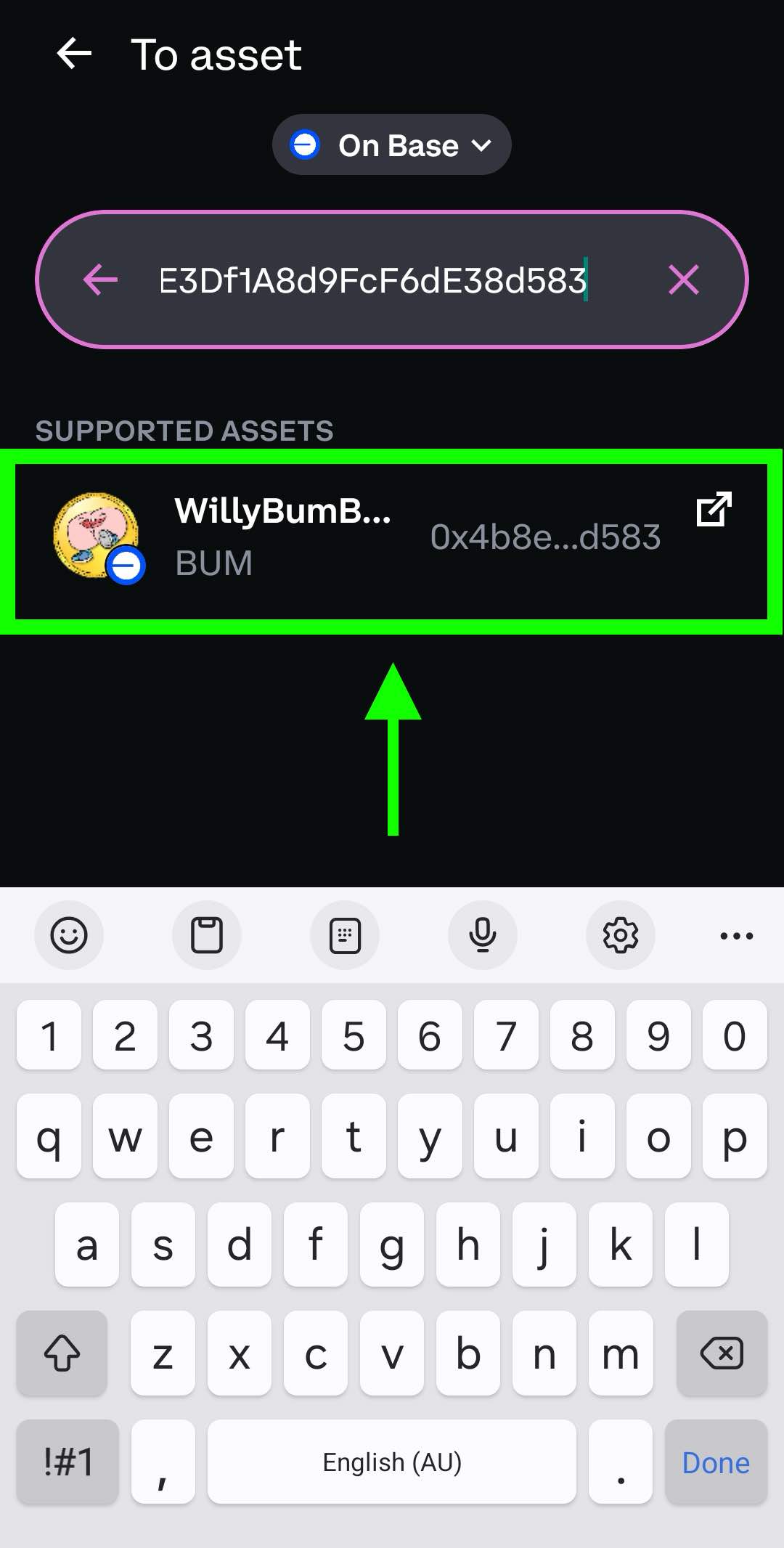
Step 4 — Input the Willy Bum Bum contract address below in the search bar. BEWARE of fake Willy Bum Bum accounts! We strongly recommend copy/pasting the contract address below.
The Contract Address is: 0x4B8eC286FD218adB992E3Df1A8d9FcF6dE38d583
Step 5 — Select WillyBumBum
Step 6 — Choose the amount of Ethereum on BASE you want to swap for $BUM.
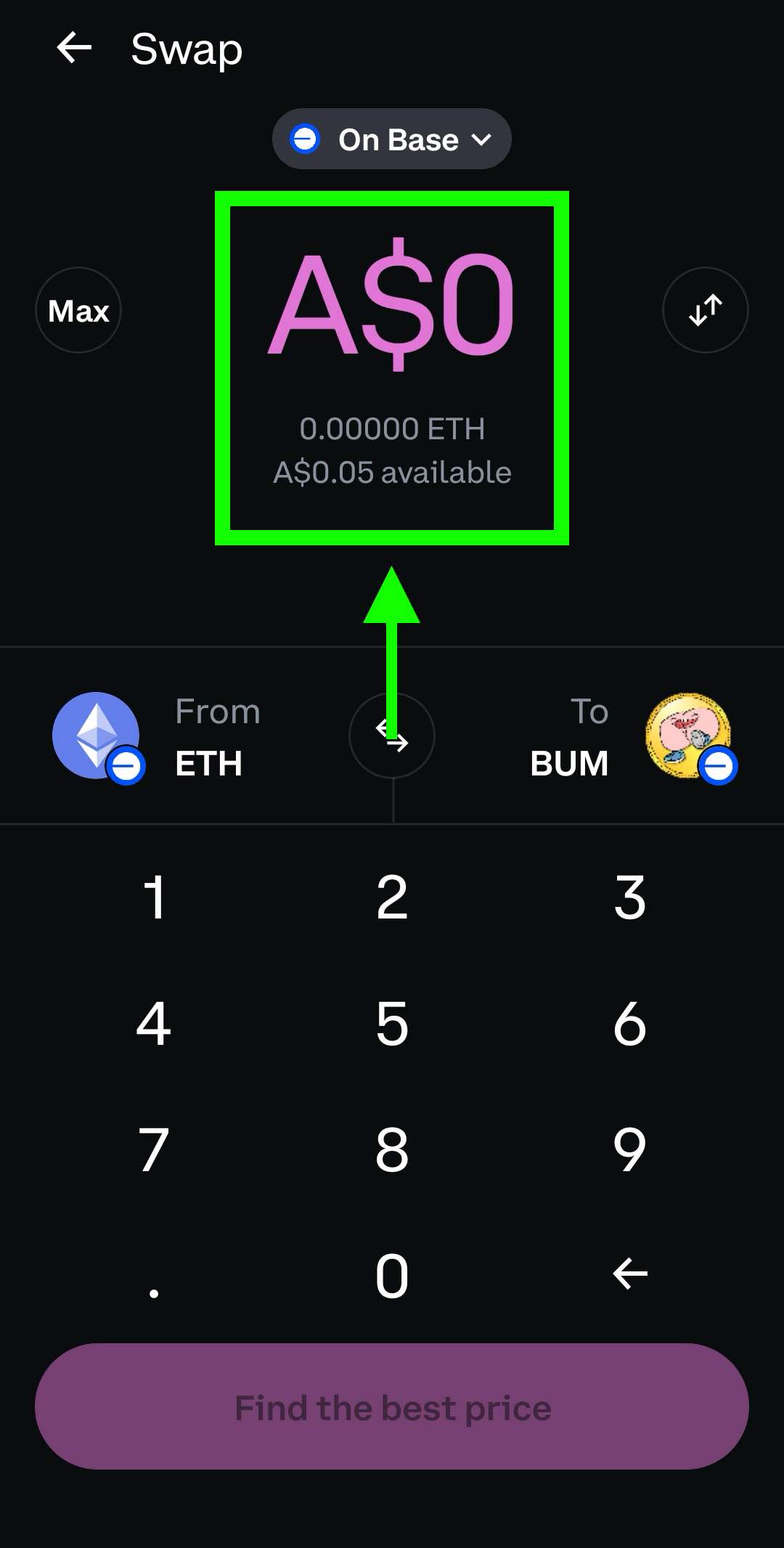
Step 7 — Click the “Find best price” button and finalise the swap.
That’s it! You have now have your hands on $BUM!